-
Technology
-
Industry
-
Solutions
-
- ASSET MANAGEMENT
- CUSTOMER EXPERIENCE MANAGEMENT
- CYBER SECURITY
- DATA CENTER
- DOCUMENT MANAGEMENT
- ELECTRONIC DATA INTERCHANGE
- ENTERPRISE DATA MANAGEMENT
- ENTERPRISE RESOURCE PLANNING
- ENTERPRISE RISK MANAGEMENT
- ENTERPRISE-GRADE WEB DATA SOLUTIONS
- FACILITY MANAGEMENT
- FIELD SERVICE
- IDENTITY AND ACCESS MANAGEMENT
- INFRASTRUCTURE
- IT SERVICE MANAGEMENT
- MANAGED IT SERVICES
- PAYMENT AND CARD
- PROJECT MANAGEMENT
- SOFTWARE TESTING
- STORAGE
- VIDEO SOLUTIONS
- WORKFLOW
-
-
Platforms
-
Functions
- Leadership Perspectives
- Innovation Insights
- Research
- Magazines
- News
- CXO Awards









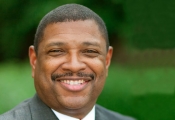

Contributory Virtus Investment Partners on the invitation from our Editorial

Medtronic
Dr. Michael O’Connor, Director Strategy and Project ManagementHow I Go About Managing Tasks
Dr. Michael O’Connor, Director Strategy and Project Management

Task management is a key skill for all to master and have a good way of organizing and executing daily. I have found success with different methods and tools and it depends on a person’s personal preference as to what may work for him or her.
Starting with email which takes a great deal of time every day to read, sort, understand and prioritize. I have found that I try to keep my inbox at zero by the end of each day. This is not always possible for me and I am sure for many people. However, I find if I apply some simple techniques that I am far more successful every day in keeping my inbox empty. The first item I do every day with my inbox is I triage my emails looking for important items or items from my manager. Once I have this completed, I move my attention to the easiest items to delete and quickly decide as to keep, act or delegate on these items that usually can be deleted. The next step in my process is dealing with the remaining email and now take each one and quickly read them and the keep, act or delegate to each email. It is very important to me to also take attachments and save them to the cloud or my hard dive as our organization only allows a two-year email retention, including attachments. This can be done in a few minutes for myself and I usually can take say 50 emails and get them down to 5 or less. With the remaining emails I decide if I need to reply to them right away, wait or add them to my to do list in OneNote and work on them later.
Working in OneNote, which I have utilized since 2011, I have many notebooks in OneNote on a variety of topics. Typically, I have a notebook for each month and each year. I do this to keep daily track of my work meetings, tasks and any other information I feel is important. Our organization has an email retention policy so OneNote is very important to keep my information where I can find it. OneNote has a great feature that allows you to search for words which makes this tool and technology an easy way to keep track of information. OneNote is also synced up at my organization with your phone, tablet and computer making it a perfect solution from when you are in the office and out of the office. Every day I start a new entry with the day, date and time I come into the office. From there I may add files, notes, pictures, snippets, and documents. I also have a to do or task folder just for my items and I utilize the check box in OneNote to add an entry. I can then place a red check mark when the item is completed.
I also utilize a Moleskin notebook in the 5” x 8” format to write my notes down daily. This works well but it is hard to search. I do make a daily entry just like OneNote to try to find information easier. I am in the process of moving to a tablet and away from writing my information in a notebook.
The articles from these contributors are based on their personal expertise and viewpoints, and do not necessarily reflect the opinions of their employers or affiliated organizations.
EDITOR'S Choice

Fortune Brands Innovations [NYSE: FBIN]
By Juan Guerrero, Director, IT Audit & Data Analytics
The IT Audit Evolution: From Compliance to Strategic Intelligence
Broad River Retail
Wes Dudley, Senior Vice President, Customer Experience
Customer Experience in the Age of Amplified Complexity
Fortune Brands Innovations [NYSE: FBIN]
Scott Barnes, Sr. Director of Enterprise Cyber Security (CISO)
The X-Factor in Cybersecurity: AI and Automation at Work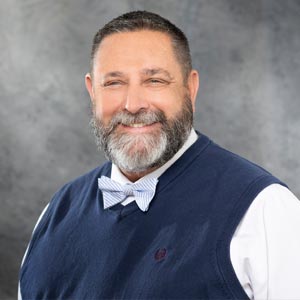

LHarris Technologies [NYSE: LHX]
Brian Allred, Director of Business Intelligence and Analytics
The Shift from Rigid Dashboards to Conversational Analytics
Ivar's Restaurants
Patrick Yearout, Director of Innovation, Recruitment & Training
From Hiring to Development: Nurturing Teams that CareLatest Issues