-
Technology
-
Industry
-
Solutions
-
- ASSET MANAGEMENT
- CUSTOMER EXPERIENCE MANAGEMENT
- CYBER SECURITY
- DATA CENTER
- DOCUMENT MANAGEMENT
- ELECTRONIC DATA INTERCHANGE
- ENTERPRISE DATA MANAGEMENT
- ENTERPRISE RESOURCE PLANNING
- ENTERPRISE RISK MANAGEMENT
- ENTERPRISE-GRADE WEB DATA SOLUTIONS
- FACILITY MANAGEMENT
- FIELD SERVICE
- IDENTITY AND ACCESS MANAGEMENT
- INFRASTRUCTURE
- IT SERVICE MANAGEMENT
- MANAGED IT SERVICES
- PAYMENT AND CARD
- PROJECT MANAGEMENT
- SOFTWARE TESTING
- STORAGE
- VIDEO SOLUTIONS
- WORKFLOW
-
-
Platforms
-
Functions
- Leadership Perspectives
- Innovation Insights
- Research
- Magazines
- News
- CXO Awards


Pointers for Project Managers during Big Data Implementation
CIO Review
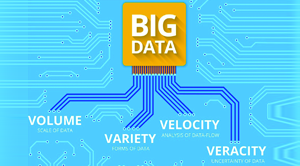 Touted as the next big thing for businesses four years ago, so far, Big Data has lived up to its reputation helping businesses improve productivity while propelling their revenues. Just like the internet, it all started with the U.S. military as they skimmed through gigabytes and terabytes of structured and unstructured datasets to locate terrorists in the barren lands of Afghanistan and Iraq. Soon, the Big Data wave ran into businesses, both big and small. Retail was the first sector to jump aboard the Big Data bandwagon and shortly after manufacturing joined in the groove as well.
Big Data has indeed driven businesses forward, however, the hard truth lies in the fact that most projects have either failed miserably or have been abandoned prematurely. When things go wrong, the blame game begins and fingers will automatically be pointed at project managers for poor planning or implementation. Well, how to make it right then? Listed below are some pointers for project managers to look into while deploying a Big Data program in the enterprise.
Stay ahead of the industry with exclusive feature stories on the top companies, expert insights and the latest news delivered straight to your inbox. Subscribe today.
Well-defined Objectives
In a bid to gain maximum profitability within the shortest period of time, enterprises often tend to put unrealistic expectations which in turn contribute to the downfall of a Big Data implementation project. Instead of setting unfeasible objectives, project managers ought to have a look within their setup and clearly define their objectives before proceeding to the next step. If the enterprise has the required resources, capabilities, along with the right personnel to run big data and analytics, then the project managers can go forward with their implementation strategy. If not, there is a high chance for enterprises to flop “spectacularly” in their endeavours.
Talent Acquisition
Back in 2014, a survey conducted by Accenture revealed that 41 percent of enterprises failed in their Big Data implementation project due to lack of required talent. Data scientists are one of the most sought after professionals; so acquiring them won’t be cheap or easy. It would have been easy for every enterprise if they had enough budget to cherry pick the best data professionals available. Sadly, that is not the case. However, there is an alternative hidden within their organization itself—business analysts. Rather than spending a ransom on acquisition and later training those data scientists about the enterprise’s goals, it is always prudent to train a group of business analysts on Big Data. Moreover, the existing team members will give enterprises the added benefit of cohesion in realizing the company objectives.
Agile Application Development
Adopting an agile methodology for any project management process, Big Data implementation in particular, has twofold benefits for enterprises. Firstly, it helps organizations counter unpredictable scenarios through a flexible, incremental, and iterative work cadence approach. Next, it ensures that each person in the hierarchy, from project managers to developers to analysts, are accountable for the project’s success. In addition, by maintaining a two week cycle of project development, the enterprise can undertake an “inspect and adapt” approach, thus eliminating any “analysis paralysis” in the project. An agile methodology also gives the project manager the added responsibility of keeping the team motivated through unforeseen predicaments.
Time-boxed Development
Time-boxing helps Big Data project managers ensure that the team members do not “over-engineer” processes and abide by the given time frame for implementation. It also enables team members to work with existing resources, thus allowing enterprises to stay within the allocated budget of a project. Moreover, time-boxing does not encourage setting deadlines without the involvement of any team member. Finally, it helps project managers measure employee productivity levels, enabling managers to assign high-priority processes to peak productive periods while scheduling the less important works for times when employees are more likely to get distracted.
Big Data is like a treasure chest for enterprises and the key to unlocking it lies with the project managers’ ability to motivate their teams in times of uncertainty and following agile project management practices.
More in News
Distributors can have plenty of inventory across their network and still struggle to meet demand at individual branches. Stock sitting in one warehouse does little good when customers need it elsewhere, while keeping every location stocked for its highest historical demand can tie up unnecessary capital. With thousands of product and location combinations to manage, purchasing teams cannot review every decision manually. Executives evaluating demand forecasting software need to know whether it can improve local product availability without driving up inventory costs across the business. Network-wide averages can easily hide costly gaps at individual locations.
Past sales provide a useful starting point, but irregular buying patterns can make forecasting difficult. Slow-moving products may not generate enough transactions to produce a reliable forecast on their own. Seasonal spikes can also skew averages long after demand has returned to normal. Buyers should look at whether the software can draw insights from related products and distinguish recurring demand from unusual orders. External factors such as weather may also help improve predictions, but their value needs to be demonstrated for the products concerned rather than assumed across the entire catalog.
Knowing what customers will buy is only half the equation. Buyers also need to know when to reorder. Changing supplier lead times can make it difficult to act on even an accurate demand forecast, while order frequency and minimum purchase quantities affect how much stock needs to be kept on hand. Software should account for actual purchase order history rather than rely solely on fixed lead times. Safety stock should also reflect how individual products sell at each location. Applying the same buffer everywhere can leave fast-selling products out of stock while slower-moving items pile up.
“Lantern refreshes recommendations weekly and lets buyers compare suggested stocking levels with existing settings before approving or overriding them.”
The way forecasting software works with existing ERP systems is another important consideration. If recommendations sit in a separate dashboard, buyers may still have to enter them manually into their purchasing systems. They should establish whether the software can read transactions from their existing ERP and feed approved stocking parameters or purchase orders back into it. Buyers also need to understand why the system recommends a particular change. When a business wins a new account or a branch receives an unusually large order, experienced staff should be able to override a forecast without having to work outside the system.
Forecast accuracy matters, but it does not tell the whole story. Lower inventory means little if it leads to stockouts and unhappy customers. In some cases, holding more stock may be the right decision if those products sell consistently. Buyers should look at how the software affects product availability, inventory turns and the capital tied up in excess stock. Testing its recommendations against past transactions can also show where they differ from existing purchasing practices before a wider rollout. Buyers should also account for the work involved in preparing historical data and managing exceptions once the system is in place.
Lantern builds a custom machine learning forecasting model for each distributor, using historical ERP data and business-specific purchasing practices. It combines demand forecasts with projected supplier lead times to recommend order timing and safety stock at the item-location level. Lantern refreshes recommendations weekly and lets buyers compare suggested stocking levels with existing settings before approving or overriding them. Approved purchase orders or stocking parameters can be written back into the ERP. Its models also examine relationships across products, supporting forecasts where individual sales histories are sparse. Distributors with large catalogs spread across multiple branches, especially those balancing excess inventory against missed sales, are the relevant buyers for this model. ...Read more
Enterprise imaging purchases rarely fail because a scanner cannot create a digital file. Trouble starts when document volumes and legacy applications collide with downstream workflows that were built around older processes. A platform may handle clean, standardized forms well, yet slow down when incoming files vary substantially or demand different routing rules. Executives, therefore, need to examine how completely a proposed environment can absorb the real document mix without forcing extensive manual preparation or creating new bottlenecks elsewhere.
Capture architecture deserves close attention as the front end determines how much work remains after scanning. Useful systems should support classification, optical character recognition, data extraction and validation in ways that match actual document types and exception rates. Human review also matters. Automated recognition is valuable when confidence is high, but buyers should understand where validation screens enter the process and how questionable fields are routed before information reaches a database or content repository.
Hardware choices belong in the same discussion. Desktop scanning and high-volume production work impose very different demands, and forcing both through a single equipment model can inflate costs or limit throughput. The proposed design should reflect actual preparation effort, peak intake volumes and the physical scanning environment rather than nominal device speed alone. Scanner flexibility also matters where several departments process different document sets at substantially different volumes.
“EDAC Systems provides first-line support across the hardware and software it sells, reducing the need for customers to separate faults among multiple providers.”
Legacy compatibility is equally consequential. Many enterprises still depend on older capture software and long-standing repositories while retaining scanners embedded in established processes. Replacing everything at once can increase implementation risk and budget pressure. A stronger proposal should account for migration and configuration from the outset, with integration planned around how existing records move into the new environment and how the changeover will be tested.
Buyers should also examine whether the architecture can adjust when document volumes increase or automation requirements change without requiring a wholesale rebuild. That flexibility becomes more important when an organization expects its capture requirements to shift over several budget cycles.
Security and records requirements can narrow the field quickly, particularly in government or regulated environments. Encryption and records-management controls need to be resolved against approved deployment conditions before installation, rather than treated as post-deployment configuration. Procurement teams should verify that both hardware and software satisfy applicable requirements and that the provider can work within on-premises or approved hosted environments when needed.
Support after go-live is another practical separator. Document imaging environments combine scanners, capture software, connectors and repositories, which can leave customers coordinating multiple suppliers when something fails. Contract review should establish who owns first-line troubleshooting and whether hardware and software issues are handled through one support path. Availability of on-site assistance also matters when remote fixes are insufficient.
EDAC Systems designs document imaging and data capture environments around each customer’s document types, workflow, existing technology and budget constraints. Its approach can combine Ricoh or OPEX scanning hardware with capture software and Doxis-based document or records management, depending on the application. It also handles migration, configuration, testing and training during implementation.
It provides first-line support across the hardware and software it sells, reducing the need for customers to separate faults among multiple providers. For enterprises with mixed legacy environments, compliance requirements or varied document volumes, the breadth of design and support makes EDAC Systems a practical vendor to consider. ...Read more
Moving from Google Workspace or legacy Exchange to Microsoft 365 involves more than transferring mailboxes. File structures may not translate cleanly, account permissions can change and an overlooked dependency can interrupt access after cutover. Executives comparing migration providers must establish how thoroughly each one investigates the existing environment before committing to a transfer schedule. A technically completed migration offers little reassurance when employees cannot retrieve the information they previously used.
Pre-migration assessment establishes the boundaries of the work. User inventories should account for inactive accounts and shared mailboxes, while file assessments must identify naming restrictions, excessive path lengths and permission structures that Microsoft 365 handles differently. Tenant-to-tenant transfers introduce additional complications around identity mapping and existing collaboration spaces. Providers should document these differences before migration begins rather than discovering them during execution.
Compliance requirements can alter the migration design considerably. Retention policies and access restrictions may determine where information resides after transfer or which users can retrieve it. An assessment that concentrates exclusively on data volume risks overlooking controls that governed the original environment. Procurement teams benefit from examining whether the provider produces a documented migration scope connecting technical dependencies to the organization's internal requirements.
“RyanTech incorporates Microsoft Defender and Purview into tenant planning, allowing security requirements to shape the destination environment before users begin working in it.”
Cutover scheduling exposes a different set of risks. DNS propagation may take longer than anticipated, while network interruptions can delay synchronization during a planned transition. Promises of zero downtime leave little room for these external dependencies. A credible migration approach includes contingency procedures, defined escalation responsibilities and a cutover window that reflects the organization's working patterns. The provider should explain what happens when an expected transition does not occur on schedule.
Business continuity also depends on what employees encounter after the switch. Missing shared files or unfamiliar permissions can generate support requests even when mailbox transfers succeed. Validation should establish that users can access the resources required for their work, not merely confirm that data reached its destination. Clear responsibility for resolving post-cutover issues reduces the burden on internal IT teams.
Security configuration cannot be deferred until employees have settled into Microsoft 365. A newly provisioned tenant may introduce unfamiliar exposure through identity settings or insufficiently configured data protection policies. Microsoft Defender, Intune and Purview provide controls that can be incorporated into the destination design. Providers differ in whether they configure these protections during migration planning or treat them as later projects. Licensing decisions also influence which controls are available and whether organizations purchase functionality they will actually use.
Support arrangements become particularly relevant once the migration specialists have completed their assignment. Changes to compliance requirements or user access may expose decisions made during the original transfer. Continuity between migration and support personnel helps retain that context.
RyanTech conducts Microsoft 365 migrations through an initial environment audit that establishes customer requirements and informs a documented transfer plan. Its migration team prepares for DNS delays and other cutover interruptions, scheduling transitions around business requirements rather than promising uninterrupted service. RyanTech incorporates Microsoft Defender and Purview into tenant planning, allowing security requirements to shape the destination environment before users begin working in it. Its project and support teams subsequently address configuration changes, user adoption and evolving compliance requirements. Experience spanning Google Workspace, on-premises Exchange and tenant-to-tenant migrations informs its handling of differing source environments. Organizations consolidating disparate systems into Microsoft 365 while requiring security configuration and continuing technical support are particularly suited to this approach. ...Read more
The management of cloud environments involves the proper coordination of infrastructure, access rights and resource allocation as companies expand their operations digitally. In Latin America, organizations adopting cloud-based systems must account for regional data protection requirements, varying infrastructure capabilities and the complexity of overseeing multiple service providers.
Cloud management is an effective tool that enables the IT professionals to control the workloads, ensure the standard configuration, resource consumption and detect the possible disruption of services that could impact critical business operations. Clear governance policies, automated monitoring and well-defined access controls can help businesses maintain reliable cloud environments while managing operational complexity.
How Does Cloud Management Benefit Businesses?
Cloud management makes it possible for companies to have more options when dealing with varying loads without making significant investments in infrastructure. Organizations can scale computing capacity to match project demands, support remote teams and deploy digital services across different locations. For companies operating in Latin America, this flexibility can help accommodate expansion into new markets while allowing technology resources to evolve alongside business requirements.
The other significant benefit relates to visibility in finances. Centralized oversight helps organizations understand spending across cloud services, identify underused resources and select suitable service plans. These insights support more informed budgeting and reduce the likelihood of paying for capacity that delivers little practical value. Businesses can also evaluate service usage against departmental needs to allocate technology budgets more effectively.
Cloud management can be an important tool to improve the continuity and collaboration of business operations. Backup planning, recovery procedures and coordinated service administration help organizations prepare for unexpected outages and restore essential applications when disruptions occur. Shared digital workspaces and accessible business applications can further support collaboration among distributed teams. For businesses in Latin America, these capabilities can help maintain consistent operations across regional offices while supporting day-to-day productivity.
What Are the Emerging Trends in Cloud Management?
Artificial intelligence is reshaping cloud management through intelligent analytics, predictive monitoring and automated decision-making. These tools can help IT teams identify unusual performance patterns, anticipate capacity demands and investigate potential technical issues before they escalate. In Latin America, growing interest in AI-enabled infrastructure management is creating opportunities for businesses to simplify complex technology environments while improving the speed and precision of routine IT operations.
The other emerging trend is the increasing adoption of hybrid and multi-cloud solutions, which combine private infrastructure with public clouds and services offered by several different providers. FinOps approaches are another area where enterprises are increasingly focusing, which involves financial decision-making around cloud usage, along with security methods that keep a check on the risks to which access is exposed.
For businesses in Latin America, these developments highlight the need for cloud strategies that balance technical flexibility, cost transparency, regulatory requirements and evolving cybersecurity risks. Together, these approaches are shaping a more intelligent and adaptable future for cloud management. ...Read more
