-
Technology
-
Industry
-
Solutions
-
- ASSET MANAGEMENT
- CUSTOMER EXPERIENCE MANAGEMENT
- CYBER SECURITY
- DATA CENTER
- DOCUMENT MANAGEMENT
- ELECTRONIC DATA INTERCHANGE
- ENTERPRISE DATA MANAGEMENT
- ENTERPRISE RESOURCE PLANNING
- ENTERPRISE RISK MANAGEMENT
- ENTERPRISE-GRADE WEB DATA SOLUTIONS
- FACILITY MANAGEMENT
- FIELD SERVICE
- IDENTITY AND ACCESS MANAGEMENT
- INFRASTRUCTURE
- IT SERVICE MANAGEMENT
- MANAGED IT SERVICES
- PAYMENT AND CARD
- PROJECT MANAGEMENT
- SOFTWARE TESTING
- STORAGE
- VIDEO SOLUTIONS
- WORKFLOW
-
-
Platforms
-
Functions
- Leadership Perspectives
- Innovation Insights
- Research
- Magazines
- News
- CXO Awards


Trouble-Free Printer Backup and Recovery Guidelines
CIO Review
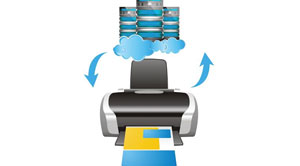 A server upgrade is an inevitable operation in every organization to keep up with the updates, improve ease of use, and also to solve several other issues. But performing an update is one hectic task, since the admin has to manage all the data and drivers. There are also scenarios that may happen where the admin has to reconfigure the complete server system to finish the update. During an update process, some applications such as printers that are running in the current version become incompatible with the upgrade. Under such circumstances, printers can be backed up and restored into the upgraded operating system instead of manually setting up from the beginning.
Backing up the Printer
Backing up data is one of the most important steps of a system upgrade. According to a system admin, before performing a system upgrade, all the printers that are defined on the Windows Server 2003 or Windows Server 2003 R2 machine must be backed up.
Stay ahead of the industry with exclusive feature stories on the top companies, expert insights and the latest news delivered straight to your inbox. Subscribe today.
However, the main problem that you may encounter is to find a relevant method to backup. Since both of these Microsoft operating systems do not come with an inbuilt printer backup utility, the backup has to be performed using a Windows 7 OS or a third party backup application. The process is very similar in Windows Vista as well.
STEP: 1- Adding the Server
Open the command prompt by entering “cmd” code in the Run prompt and then enter the MMC command to open the Microsoft Management Console. The Management Console can also be opened by entering command MMC in the Run prompt. Once the console pops up, click on the Add/Remove Snap-in command from the console’s File menu. This opens up a list of all the snap-ins that are available in the management console. Now, as we need the print management, click on the Print Management snap-in available in the console and add it by choosing the Add button. Enter the name of the server that you wish to upgrade and then click Add to list button in the pop up dialogue box. Once the name is entered correctly, click on the Finish button followed by the Ok button.
STEP: 2- Verification of Printers
There is a possibility of firewall blocking the print management function depending upon the network configuration. During such a scenario, go to the firewall control panel and allow permission for print management function. Once the management console is loaded successfully, verify that all of the printers connected with the server are listed by navigating through the console tree to Print Management then | Print Servers | <your server> | Printers. The printer container will have all the printers that are installed on the server listed inside.
STEP: 3- Initiating Backup
After verifying all the printers, the backup operation can be initiated by choosing Migrate Printers command from the shortcut menu on the Printer Management container. Once the Printer Migration Wizard opens, click on the Export Printer Queues and Printer Drivers to a File option and then hit Next button to proceed. Now, choose the network print server option and specify the server name that has to be upgraded, from the choice tab followed by clicking the Next button. At this point, you will see a summary of the print queues and print drivers that are about to be exported. Finally, when prompted, specify the path to save the file and then click Next to perform the backup. Click the Finish button once the backup is completed.
Restoring the Printer
Once the printer is successfully backed up, the server can be upgraded safely. After completing the server upgrade process, the server manager utility can be used to add the print services. Once the print services utility is installed, the backup can be restored into the upgraded server which follows almost similar procedures as back up.
• Open the Print Management command from the upgraded server’s administrative tools setup menu.
• Right click on it to open the Migrate Printers command from the shortcut menu bar.
• Choose the “Import Printer Queues and Printer Drivers From a File” option in the Printer Migration Wizard and click Next to continue.
• Specify the preferred import option when prompted.
• Click the Next button three times and finally click on the Finish button to complete the restore process.
Even though it is important to backup network printers during a server upgrade scenario, it can be useful to keep a printer backup all the time. As backups can make the work simple even when any accidental deletion of printer occurs, it is highly recommended to have a backup file ready.
More in News
An intelligent document management solutions company can help businesses turn scattered information into a more organized and accessible resource for everyday operations. As teams handle growing volumes of contracts, invoices, reports and internal records, locating the right information quickly becomes essential to maintaining workflow continuity.
Intelligent document management solutions can simplify document retrieval, support consistent recordkeeping and improve access to relevant information across departments. For organizations managing complex documentation requirements, these capabilities can reduce time spent searching for files, support better coordination between teams and help employees make informed decisions using the information they need.
Trends in Intelligent Document Management
There is an increasing emphasis on intelligent document management solutions by businesses due to increased regulations and standards for compliance, auditing and information governance becoming necessary. Organizations in sectors such as healthcare, banking, insurance and legal services are seeking systems that support retention policies, controlled access and traceable document activity. This shift reflects a growing need to manage sensitive business information according to industry-specific rules while maintaining stronger oversight of documentation practices.
Demand is growing for adaptable deployment options that support hybrid work arrangements and meet the diverse operational needs of organizations. Companies are evaluating cloud-based and hybrid systems based on data residency requirements, internal security policies and existing IT investments. Subscription-based pricing and modular capabilities are attracting organizations that prefer to expand document management functions gradually rather than commit to extensive infrastructure changes at the outset.
Market demand is moving toward solutions that support multilingual content, industry-specific workflows and collaboration across geographically distributed teams. Businesses operating in multiple regions need document processes that account for different languages, local regulations and internal approval practices. This is encouraging providers to offer configurable capabilities suited to diverse operating environments, while buyers increasingly assess ease of integration, vendor support and long-term adaptability when selecting a solution.
Innovative Strategies for Mastering Document Management Success
The process of integrating intelligent document management with the already existing business application may prove tricky because the legacy software uses data formats that are not compatible with those being used in the new system. These technical differences may disrupt established processes and increase implementation time. A detailed compatibility assessment before deployment can help identify potential conflicts early.
Pilot testing, clearly defined integration requirements, and a staged rollout can further reduce disruption while allowing technical teams to resolve issues before full implementation. The confidentiality of information is another major challenge, especially for organizations that have financial information, personnel details, contracts and proprietary business information. Access control policies that are weak, coupled with poorly designed permission structures, may leave information exposed to those who should not access it.
Organizations can address these risks through role-based access restrictions, encryption, multifactor authentication and regular security assessments. Establishing clear incident response procedures helps teams respond promptly to potential breaches and maintain stronger control over sensitive information. Classification of documents can be made complicated when documents are filled with handwritten entries, a lack of uniform formatting, low-quality scans and specific terminologies.
Companies can ensure accurate outcomes by developing standard document templates wherever possible and specifying confidence levels in the automated process, which will be used to route unclear documents for review. Periodic accuracy assessments and targeted model adjustments can help maintain dependable results as document types and business requirements change.
Revolutionizing Document Management for Tomorrow's Innovations
The generative form of artificial intelligence opens up new ways to draw insight from large corporate documents such as contracts, research reports and technical documentation. Instead of relying solely on keyword searches, emerging systems can summarize complex material, identify relevant clauses and answer questions based on document content. These capabilities could help legal teams, analysts, and executives review information more efficiently while keeping human judgment central to decisions that require interpretation.
Another promising development is the growing use of knowledge graphs and semantic analysis to uncover relationships between information stored in different documents. These methods can help organizations connect related projects, trace references between reports and identify patterns that might otherwise remain unnoticed. For an intelligent document management solutions company, developing capabilities that support deeper contextual analysis could create new opportunities in research-intensive industries and businesses handling complex technical information.
Intelligent document management solutions are likely to move toward more context-aware systems that help organizations interpret information and apply it to specialized business tasks. Opportunities may emerge in contract analysis, technical research, regulatory interpretation and knowledge discovery across large document collections. Providers that combine useful intelligence with transparent results and dependable human oversight will be better positioned to meet increasingly sophisticated business needs and shape the next stage of intelligent information management. ...Read more
Microsoft PSA solution is helping businesses bring greater control and consistency to project delivery by connecting resource planning, time tracking, project financials and performance monitoring within a unified digital environment. As organizations manage multiple client engagements, these capabilities enable teams to allocate talent more effectively, track project costs and identify billing gaps before they affect revenue.
Integration with Microsoft business applications would facilitate better communication between project managers, financial teams and management personnel, allowing for a more efficient decision-making process. For professional services firms seeking stronger project visibility and predictable financial outcomes, the Microsoft PSA solution offers a practical way to improve operational efficiency, strengthen client relationships and align project execution with broader business goals.
Evolving Market Dynamics in Microsoft PSA Solutions
The Microsoft PSA solution market is witnessing shifting demands due to how the professional services organizations are reacting to reduced budgets of their clients, reduced sales cycle time and increased competition. The buyers have become more interested in pricing options, implementation time and flexibility in customization to their models. These considerations are influencing purchasing decisions, particularly among firms seeking to modernize their service operations without introducing unnecessary complexity.
Cloud computing is influencing the demand for the market through flexibility in cloud deployment, considering how organizational structures will change over time and how the business will expand. Purchasing decisions depend on factors such as data security, integration requirements, migration costs and the complexity of existing systems. Smaller firms may prioritize affordability and ease of implementation, while larger organizations often assess scalability, governance and compatibility with established processes.
Competition between the various solution vendors has led to the creation of a more tailored and industry-specific approach. Professional services firms increasingly expect technology investments to reflect their operational needs rather than require extensive changes to established workflows. This shift is creating opportunities for providers to serve specialized sectors, support varied business models and offer more adaptable purchasing options. As buyers become more selective, the ability to demonstrate clear commercial value and meet industry-specific requirements is likely to influence future adoption.
Strategic Solutions in Microsoft PSA Implementation
The implementation of a Microsoft PSA solution can be a challenge when the current business processes within an organization are not well understood by employees and are not documented. Variations in approval hierarchy, contractual agreements and internal reporting processes could affect the configuration and implementation process. A phased implementation approach can help organizations address these issues systematically. Mapping current workflows, defining clear responsibilities and testing configurations before organization-wide rollout can reduce disruption and establish a more reliable foundation for adoption.
Data migration is yet another challenge, especially when the data to be migrated comes with duplicates and is incomplete. Data transfer into the new system from an untrusted source may result in incorrect data entry, causing errors in reports and decisions made by businesses. Organizations can address this risk through data cleansing, validation checks, controlled migration trials and reconciliation before final deployment. Establishing clear data ownership and regular quality reviews helps maintain consistency as information is updated over time.
Employee adoption can become a major obstacle when teams find new processes difficult to understand or view implementation as an additional administrative burden. Limited training, resistance to procedural changes and unclear accountability can prevent organizations from realizing the expected value of their investment. Role-specific training, practical demonstrations, accessible support and feedback sessions can help employees build confidence in the new system. Involving key users during testing and rollout also allows implementation teams to identify usability issues early and make adjustments that encourage lasting adoption.
Technological Advancements and Future Prospects
AI is opening new possibilities for Microsoft PSA solution providers by supporting smarter analysis of service operations and business performance. Emerging capabilities can help identify patterns in historical project data, flag unusual cost variations and generate insights that support more informed planning. Document automation and suggestions can also help in removing repetitive tasks, which in turn can enable professional service providers to adapt to changing business environments quickly.
The improvements in the realm of low-code development, application programming interfaces and data analytics are leading to possibilities of fine-tuning the features of the PSA solution to meet the unique needs of the business organization. Organizations can build custom extensions, connect selected third-party applications and develop dashboards that present relevant performance indicators in a clearer format. However, the practical value of these innovations depends on data quality, integration compatibility, access controls and careful oversight of automated outputs. Responsible implementation will remain essential as these capabilities become more widely adopted.
The Microsoft PSA solution market is likely to place greater emphasis on intelligent automation, predictive insights and configurable digital workflows. Further advances in AI-assisted analysis could help firms recognize emerging risks, assess changing service demands and identify opportunities for business growth. Success will depend not simply on adopting new technology but on selecting capabilities that deliver measurable results. Organizations that balance innovation with sound governance and clear business objectives will be better positioned to adapt to the next phase of professional services transformation. ...Read more
Businesses today rely on digital communication channels not only to engage customers but also to manage internal processes and operational workflows. Messaging platforms have become central to customer interactions, and organizations are increasingly seeking ways to connect these conversations to back-office functions.
This shift has driven the adoption of automation technologies that streamline communication while improving operational efficiency. A whatsApp backoffice automation platform plays an important role in helping organizations bridge the gap between customer engagement and business operations.
Customers expect quick responses and seamless service experiences. Traditional methods often require employees to manually transfer information from conversations into business systems, which can create delays and increase the likelihood of errors. Automation platforms address this challenge by connecting messaging interactions with workflows such as order processing, customer support ticket creation, appointment scheduling and document management. By reducing repetitive manual tasks, organizations can improve productivity while ensuring that customer requests are handled more efficiently.
Automation also helps create consistency across business processes. When information received through messaging channels is automatically routed to the appropriate departments, organizations can maintain accurate records and improve collaboration. Employees spend less time managing routine administrative work and more time focusing on activities that require expertise and decision-making. This contributes to faster service delivery and stronger operational performance.
How Do Automation Platforms Connect Communication with Business Processes?
The value of automation lies in its ability to transform conversations into actionable business data. Messages received from customers can trigger predefined workflows that initiate tasks within enterprise systems. Whether a customer is requesting support, submitting documentation or seeking product information, the platform can automatically direct the request to the appropriate process.
Integration capabilities are a key component of modern automation solutions. These platforms often connect with customer relationship management systems, enterprise resource planning software, and help desk applications. This allows information to move seamlessly between communication channels and operational systems without requiring manual intervention. As a result, businesses gain greater visibility into customer interactions while maintaining efficient internal workflows.
Automation can also support compliance and governance requirements. By maintaining centralized records of communications and associated actions, organizations can improve accountability and simplify audit processes. This is particularly valuable in industries where documentation and process transparency are critical.
What Benefits Does a WhatsApp Backoffice Automation Platform Deliver?
A whatsApp back-office automation platform enables organizations to scale customer engagement while maintaining operational control. Automated workflows reduce response times, improve accuracy and help ensure that customer inquiries are addressed promptly. This creates a more responsive and reliable service experience.
The platform also enhances resource utilization by minimizing repetitive administrative work. Teams can focus on strategic initiatives and customer relationships rather than routine data entry and process coordination. Improved workflow efficiency supports business growth without requiring proportional increases in operational resources.
As organizations continue to modernize their digital operations, communication and back-office systems must work together effectively. A whatsApp backoffice automation platform enables this connection by turning conversations into coordinated actions. By bridging communication and operations, businesses can achieve greater efficiency, stronger customer experiences and more agile organizational performance. ...Read more
Advanced coating solutions have become an important part of modern manufacturing and industrial operations. While coatings have traditionally been associated with appearance, their role today goes far beyond aesthetics. It helps protect surfaces from corrosion, wear, chemicals, moisture, and extreme temperatures.
Industries including automotive, aerospace, electronics, healthcare, construction, and energy depend on these solutions to improve durability and support reliable performance. As expectations continue to rise, manufacturers are investing in coatings that offer stronger protection, longer service life, and better environmental performance.
Why Are Advanced Coating Solutions Becoming More Important Across Industries?
Equipment and components are expected to perform reliably for longer periods, often in challenging operating environments. This growing demand for durability is one reason advanced coatings are being used more widely. In automotive and aerospace applications, for example, coatings help protect critical parts from corrosion, surface wear, and constant exposure to demanding conditions. Better protection often translates into longer equipment life and fewer maintenance interventions.
Cost efficiency is another important consideration, as companies look for practical ways to improve performance without increasing operating expenses. High-performance coatings can help reduce friction, improve energy efficiency, and slow the rate of surface degradation. In construction and infrastructure projects, protective coatings help buildings, bridges, and industrial structures withstand years of exposure to weather, moisture, and other environmental stresses, reducing repair requirements and supporting lower maintenance costs over time.
Environmental concerns are becoming more important for many businesses, which want coating solutions that perform well while helping reduce their environmental impact. Because of this, water-based coatings, low-VOC products, and cleaner application methods are becoming more popular. These options help lower emissions without affecting quality, durability, or performance.
What Technologies Are Driving Innovation in Advanced Coating Solutions?
Nanotechnology is helping improve coating performance in practical ways. By adding nanoparticles to coating formulations, manufacturers can increase scratch resistance, corrosion protection, and overall durability without significantly increasing coating thickness, making these coatings well-suited for applications where long-term protection is important.
Similarly, smart coatings are bringing new capabilities, with some that can react to changes in temperature, humidity, or mechanical stress. In contrast, others can indicate early signs of wear or damage, giving operators better visibility into equipment condition, making maintenance planning easier and helping improve asset reliability over time.
Application technology is improving alongside coating materials. Robotic systems and automated spray equipment help achieve more consistent coverage while reducing material waste. The result is improved quality control and greater efficiency throughout the production process. Digital monitoring tools are becoming increasingly common in manufacturing environments. ...Read more
